
Running a small business today requires more than just offering quality products or services. Customers expect businesses to have a professional website where they can learn about the company, explore services, and contact the team easily.
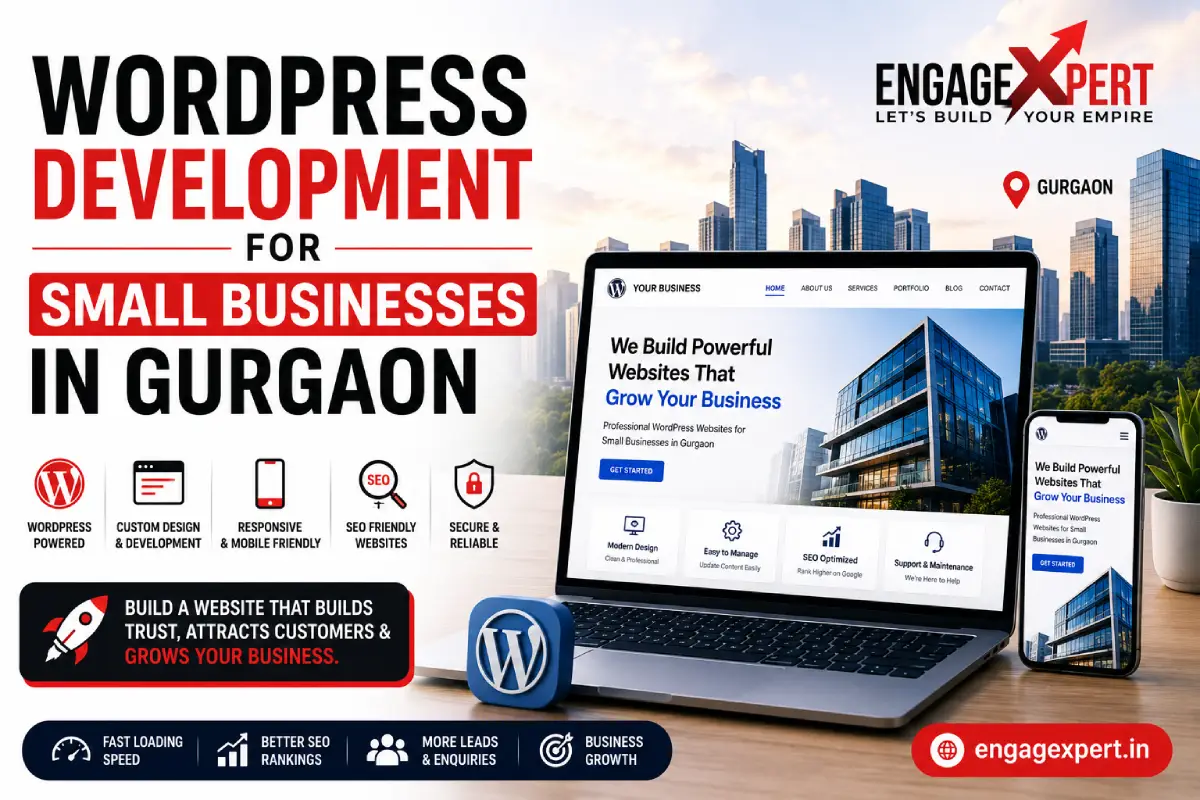
This is why WordPress Development for Small Business Gurgaon has become a popular choice for local businesses. WordPress offers flexibility, affordability, and the features needed to build a professional website that supports long-term business growth.
Whether you own a retail shop, restaurant, clinic, consultancy, or service-based business, a WordPress website can help you establish a strong online presence and attract more customers.
Why Choose WordPress for Your Small Business?
WordPress powers millions of websites worldwide because it is easy to use, highly customizable, and suitable for businesses of all sizes.
Some of the biggest advantages include:
- Easy content management
- Mobile-friendly design
- SEO-friendly structure
- Secure updates
- Thousands of plugins
- Fast website development
- Cost-effective solution
Unlike many website builders, WordPress allows businesses to expand their websites as they grow without rebuilding everything from scratch.
A Professional Website Builds Customer Trust
Before contacting a business, most customers visit its website to understand its products, services, and credibility.
A professional WordPress website helps you:
- Build trust
- Showcase your services
- Display customer reviews
- Share company information
- Generate enquiries
- Improve brand image
Businesses investing in Website Development Services create websites that not only look professional but also convert visitors into potential customers.
Why Small Businesses in Gurgaon Prefer WordPress
Many startups and small businesses in Gurgaon choose WordPress because it offers the perfect balance of flexibility and affordability.
Whether you need a simple company website or a larger business portal, WordPress provides solutions for different business needs.
It also supports:
- Business websites
- Portfolio websites
- Blogs
- Service-based websites
- E-commerce stores
- Landing pages
As your business grows, your website can grow alongside it without major redevelopment.
Choosing the Right WordPress Theme
Selecting the right WordPress theme is one of the most important decisions when building a business website. A good theme should not only look professional but also support speed, SEO, and future growth.
When choosing a WordPress theme, consider:
- Mobile-responsive design
- Fast loading performance
- SEO-friendly coding
- Easy customization
- Regular updates
- Compatibility with popular plugins
- Good customer support
Avoid installing feature-heavy themes with unnecessary animations, as they can slow down your website and affect user experience. A lightweight, well-coded theme provides better performance and long-term reliability.
WordPress Websites Are SEO Friendly
A well-designed website is useful only when people can easily find it online.
WordPress is built with SEO in mind and offers features that make it easier to improve your search engine visibility.
Some SEO-friendly features include:
- Clean URL structure
- Fast loading pages
- Image optimization
- XML sitemaps
- Mobile responsiveness
- Easy meta title and description management
- Structured heading hierarchy
Businesses combining WordPress with SEO Services Gurgaon often achieve better visibility in search results and attract more organic traffic over time.
Why WordPress is Better for SEO
WordPress includes SEO-friendly features that help search engines understand your website more effectively. Clean code, customizable URLs, responsive themes, schema support, and compatibility with SEO plugins like Yoast SEO make it easier to optimize pages for better search visibility. Regular content updates and proper website structure also contribute to long-term SEO performance.
Mobile Responsiveness Is No Longer Optional
Most people now browse websites using smartphones.
If your website doesn’t work properly on mobile devices, visitors are likely to leave within seconds.
A responsive WordPress website automatically adjusts to different screen sizes, ensuring a smooth browsing experience on:
- Mobile phones
- Tablets
- Laptops
- Desktop computers
Websites that work well on mobile devices can rank better in search results and provide a better user experience.
Easy Content Management
One of the biggest reasons businesses choose WordPress is that it doesn’t require advanced technical knowledge.
After your website is developed, you can easily:
- Update service pages
- Publish blogs
- Add images
- Change contact information
- Upload new products
- Create new landing pages
This allows business owners to keep their websites updated without depending on developers for every small change.
Why Small Businesses Prefer WordPress CMS
WordPress is designed for business owners who want complete control over their website content. Without technical knowledge, you can update text, publish blogs, upload images, create new service pages, and manage enquiries from a simple dashboard. This flexibility reduces maintenance costs and keeps your website up to date.
Gutenberg vs Page Builders
WordPress offers different ways to build pages. The default Gutenberg editor is lightweight and ideal for businesses that want faster websites and simple content management.
Page builders like Elementor or WPBakery provide drag-and-drop functionality, making it easier to create custom layouts without coding.
Both options have their advantages:
Gutenberg
- Faster loading pages
- Better Core Web Vitals
- Lightweight code
- Ideal for blogs and business websites
Page Builders
- Easy drag-and-drop editing
- More design flexibility
- Suitable for custom landing pages
- Beginner-friendly interface
The right choice depends on your business requirements, website complexity, and performance goals.
Thousands of Plugins Improve Website Functionality
WordPress offers thousands of plugins that allow businesses to add useful features without building everything from scratch.
Popular features include:
- Contact forms
- WhatsApp integration
- Live chat
- Appointment booking
- SEO optimization
- Image galleries
- Security tools
- Website backups
Choosing the right plugins improves functionality while maintaining website performance.
AI Plugins Can Improve Your WordPress Website
Artificial intelligence is becoming an important part of modern WordPress websites. AI-powered plugins can automate routine tasks, improve customer experience, and save time for business owners.
Some useful AI features include:
- AI chatbots for instant customer support
- AI content suggestions
- SEO optimization recommendations
- Spam detection
- Image optimization
- Automated email responses
While AI tools improve efficiency, businesses should always review AI-generated content to ensure accuracy and maintain their brand voice.
Learn More About WordPress
If you’re new to website development, WordPress.org provides detailed documentation, tutorials, and resources to help you understand how the platform works.
It is the official source for learning about WordPress features, updates, and best practices.
WordPress Is Popular in Real Estate
Many businesses in the real estate industry rely on WordPress because it allows them to showcase property listings, image galleries, project updates, and enquiry forms in an organized way.
Companies promoting Luxury Property in Gurgaon often use WordPress websites to display project details, virtual tours, pricing information, and contact forms, making it easier for buyers to explore properties online.
Connect Your Website with Digital Marketing
Building a WordPress website is only the first step.
To attract visitors and generate enquiries, businesses should combine their website with SEO, social media marketing, Google Ads, and content marketing.
If you’ve recently launched your business, our guide on Website Development for Small Businesses in Gurgaon explains why a professionally developed website forms the foundation of a successful online presence.
Benefits of Hiring a Professional WordPress Developer
Although WordPress is user-friendly, building a business website requires planning and technical expertise.
A professional developer can help you:
- Create a custom design
- Improve website speed
- Optimize for SEO
- Ensure mobile responsiveness
- Strengthen website security
- Integrate lead generation forms
- Configure analytics and tracking tools
This ensures your website performs well and supports your business goals from day one.
Keep Your WordPress Website Secure
A secure website helps keep your business and customer information safe. Since WordPress is widely used, it is also a common target for cyber threats if not maintained properly.
To improve website security:
- Install an SSL certificate (HTTPS)
- Use strong login credentials
- Update WordPress regularly
- Keep plugins and themes updated
- Schedule automatic backups
- Install a trusted security plugin
- Limit unnecessary admin access
Regular security updates help keep your website safe and improve customer confidence.
Website Speed Can Improve User Experience
Visitors expect websites to load quickly. If a page takes too long, many users leave before exploring your services.
A fast WordPress website can:
- Improve user experience
- Reduce bounce rate
- Increase enquiries
- Support better SEO rankings
- Improve mobile performance
Some ways to improve website speed include:
- Compress images before uploading
- Use WebP image format
- Enable browser caching
- Remove unused plugins
- Choose reliable web hosting
- Optimize database performance
Core Web Vitals and Website Performance
Google uses Core Web Vitals as one of the indicators of page experience. Improving loading speed, visual stability, and page responsiveness creates a better user experience and can support better search performance. Regular performance testing helps identify areas for improvement.
A fast-loading website improves the experience for visitors and search engines alike.
Regular Website Maintenance Matters
Building a website is only the beginning. To keep it running smoothly, regular maintenance is essential.
Maintenance tasks include:
- Updating WordPress core
- Updating plugins and themes
- Fixing broken links
- Monitoring website speed
- Checking contact forms
- Reviewing website security
- Publishing fresh blog content
A well-maintained website remains secure, performs better, and continues to support your business goals.
WordPress Maintenance Checklist
Regular maintenance helps your website remain secure, fast, and reliable.
A monthly maintenance checklist should include:
- Update WordPress core
- Update plugins and themes
- Test contact forms
- Check website speed
- Scan for malware
- Review website backups
- Fix broken links
- Optimize images
- Monitor Google Search Console
- Publish fresh content
- Review website security settings
Following a maintenance schedule reduces technical issues and improves overall website performance.
WordPress vs Custom Website Development
Many business owners wonder whether they should choose WordPress or a fully custom-built website.
Here’s a simple comparison:
Feature | WordPress | Custom Website |
Development Time | Faster | Longer |
Cost | More Affordable | Higher |
Content Updates | Easy | Developer Required |
SEO Features | Excellent | Depends on Development |
Scalability | High | High |
Plugin Support | Extensive | Custom Development Needed |
For most small businesses in Gurgaon, WordPress provides an excellent balance of affordability, flexibility, and performance.
Promote Your Website After Launch
A professionally developed website needs consistent promotion to attract visitors.
Some effective marketing methods include:
- Search Engine Optimization
- Google Ads
- Social Media Marketing
- Content Marketing
- Google Business Profile
- Email Marketing
Businesses often use Google Ads Services to reach people actively searching for their products or services and generate enquiries more quickly.
Share Your Website Through Social Media
After launching your website, share it across your social media platforms to increase visibility and attract more visitors.
Posting blogs, customer testimonials, business updates, and educational content encourages people to visit your website and learn more about your services.
Businesses using Social Media Marketing Services often build stronger brand awareness while driving consistent website traffic.
Common WordPress Development Mistakes
Many businesses face website issues because of avoidable mistakes.
Some common mistakes include:
- Installing too many plugins
- Choosing low-quality themes
- Ignoring website updates
- Using oversized images
- Not optimizing for SEO
- Weak website security
- Poor navigation structure
- Missing contact information
- Slow hosting
Avoiding these mistakes helps your website perform better and creates a better experience for visitors.
How Much Does WordPress Website Development Cost?
The cost of WordPress development depends on your business requirements.
Some factors include:
- Number of pages
- Custom design
- Plugin requirements
- E-commerce functionality
- SEO optimization
- Content creation
- Website maintenance
Instead of focusing only on price, choose a solution that delivers long-term value and supports your business growth.
Essential Features Every WordPress Business Website Should Have
| Feature | Benefit |
|---|---|
| Mobile Responsive Design | Better user experience on all devices |
| Contact Form | Easy customer enquiries |
| SSL Certificate | Secure browsing |
| SEO Plugin | Better search visibility |
| Fast Hosting | Improved website speed |
| Blog Section | Supports SEO and content marketing |
| Google Maps Integration | Better local visibility |
WordPress Website Checklist for Small Businesses
- Install SSL Certificate (HTTPS)
- Use a mobile-responsive theme
- Optimize images before uploading
- Install an SEO plugin
- Create essential service pages
- Add contact forms and WhatsApp button
- Enable regular backups
- Update WordPress, themes, and plugins regularly
- Publish fresh blog content consistently
Related Guides You May Find Helpful
To improve your website’s performance and online visibility, you can also read these guides:
- Website Development for Small Business Gurgaon
- SEO Services Gurgaon
- How to Build a Strong Brand Online
- Digital Marketing Agency for Small Business
- Lead Generation for Local Business
- Google Ads for Small Business Gurgaon
These resources explain how website development, SEO, branding, and digital marketing work together to help businesses generate more traffic, leads, and long-term growth.
Final Thoughts
WordPress is one of the most reliable platforms for building professional business websites. It combines flexibility, ease of use, and SEO-friendly features, making it an excellent choice for small businesses in Gurgaon.
Whether you are launching your first website or upgrading an existing one, investing in professional WordPress development can help improve your online presence, build customer trust, and generate more business enquiries.
When combined with SEO, Google Ads, and social media marketing, your WordPress website becomes a powerful tool for long-term business growth.
Frequently Asked Questions
1. Why is WordPress a good choice for small businesses?
WordPress is easy to manage, affordable, SEO-friendly, and flexible enough to grow with your business.
2. Is WordPress suitable for service-based businesses?
Yes. WordPress is ideal for service businesses because it supports service pages, blogs, contact forms, testimonials, and lead generation features.
3. Can a WordPress website rank on Google?
Yes. When combined with quality content, technical SEO, and regular updates, WordPress websites can perform well in Google search results.
4. How often should a WordPress website be updated?
WordPress core files, plugins, and themes should be updated regularly to improve security, performance, and compatibility.
5. Is WordPress secure?
Yes, provided you follow security best practices such as using HTTPS, strong passwords, regular backups, and trusted plugins.
6. Can I add new pages to my WordPress website later?
Yes. One of the biggest advantages of WordPress is that you can easily add new pages, blogs, and features as your business grows.
7. Do I need coding knowledge to manage a WordPress website?
No. WordPress is designed for beginners and allows you to update pages, publish blog posts, upload images, and manage content without coding knowledge.
8. How long does it take to develop a WordPress website?
The development time depends on the size and complexity of the project. A standard business website can often be completed within a few weeks, while larger or custom websites may take longer.
Need a High-Performance WordPress Website?
At EngageXpert, we build fast, secure, and SEO-friendly WordPress websites designed to help small businesses in Gurgaon grow online. From choosing the right theme and optimizing Core Web Vitals to implementing SEO best practices and ongoing website maintenance, we create websites that deliver a better user experience and generate quality leads.
Contact us today to build a professional WordPress website that supports your long-term business growth.